01
Windows PC server
PC dashboard
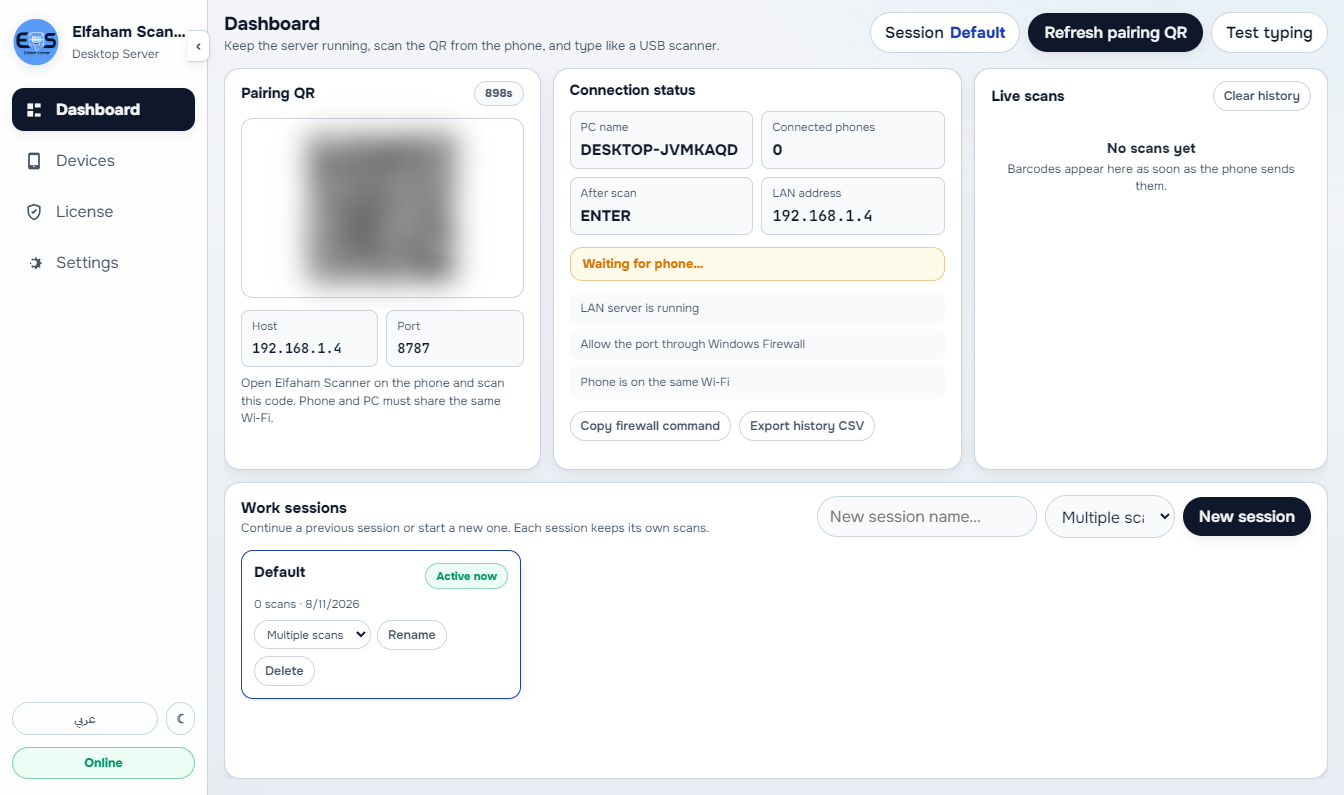
Pair phones from a QR on the Windows server and watch live status — the licensed PC is the hub; Android is the camera.
- Pairing QR on the PC server
- Live status of companions
- One licensed Windows hub
Elfaham Software Solutions
الفحام للحلول البرمجية
جارٍ التحميل · Loading
Elfaham Software Solutions
الفحام للحلول البرمجية
جارٍ التحميل · Loading
Elfaham Software Solutions
الفحام للحلول البرمجية
جارٍ التحميل · Loading
Desktop product
Android camera scanner + licensed Windows LAN server that types barcodes into any PC app like a USB wedge.
Start here
Download · Docs · Contact
These docs are in English (English UI screenshots). For the full Arabic version, switch the site language to العربية.
License is for the Windows server only (ELF-ELSC-…). The Android app pairs over your LAN.
Elfaham Scanner pairs an Android phone app with a licensed Windows LAN companion. Scan product barcodes on the phone; the desktop server types them into the focused window with ACK reliability — no cloud required for scanning. Only the Windows Scanner Server needs a license (ELF-ELSC).
Sub-second barcode checkout, touch terminal support, and shift handovers with automated cash drawer balancing.
Instant gross & net profit margins, itemized COGS tracking (FIFO), and strict margin protection rules.
Unified live stock across multiple warehouses, low-stock threshold alerts, and instant branch transfers.
Automated invoice PDFs, account statements, overdue payment reminders, and WhatsApp promotional blasts.
01 — Tutorial
A continuous walkthrough of Elfaham Scanner — Windows server + Android companion.
Product tutorial — in-app walkthrough
The walkthrough switches with the page language and site theme (light/dark).
02 — Real Application Screenshots
Explore the live application interface in high definition — toggle light/dark modes and Arabic/English UI, and zoom into any screen fullscreen.
Elfaham Scanner — PC dashboard
PC dashboard
pairing QR and live status
03 — Modules
Windows server and Android companion — marketing copy and a real screenshot per module. Switch light/dark and language, then click any shot to enlarge.
Group 1
Windows PC server
Pair phones from a QR on the Windows server and watch live status — the licensed PC is the hub; Android is the camera.
Windows PC server
See which Android cameras are paired to this server so the floor is not guessing which phone is actually connected.
Windows PC server
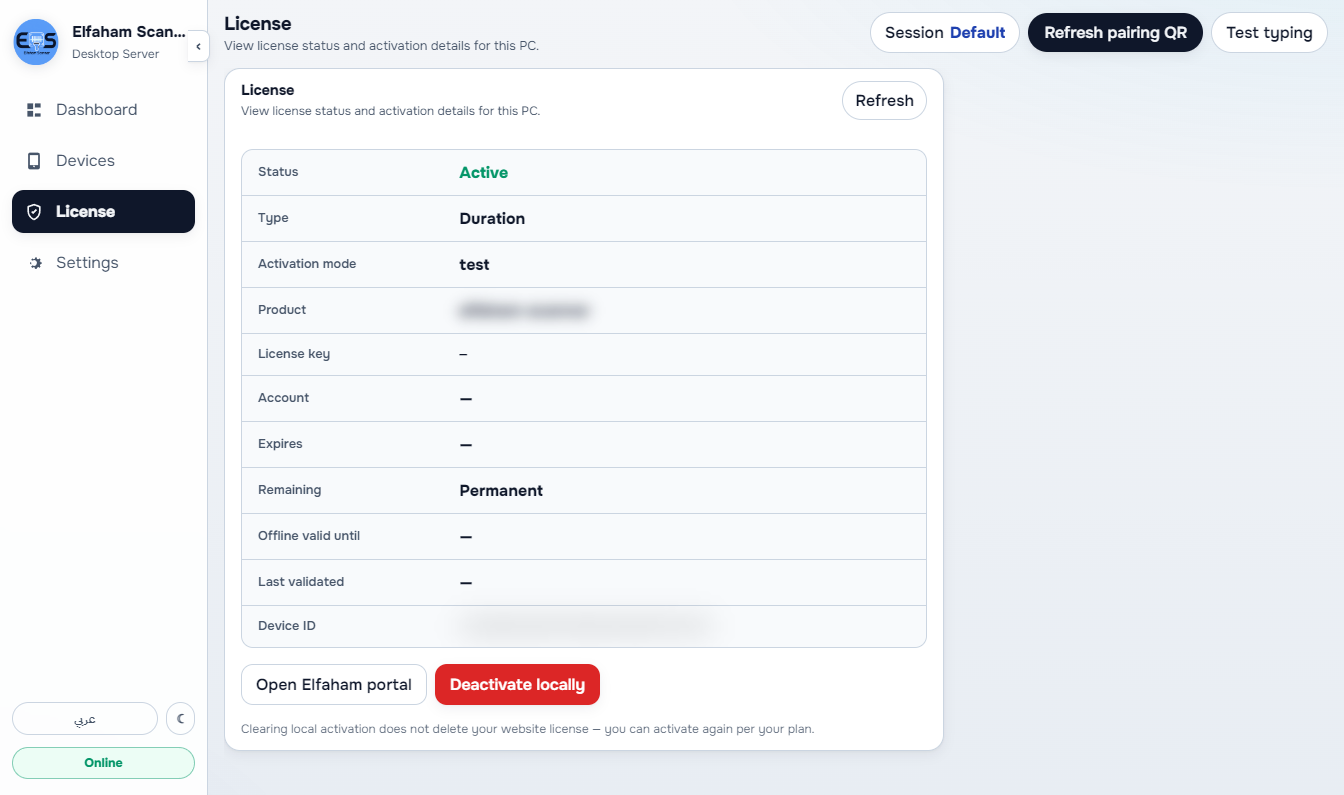
The license lives on the Windows server only (ELF-ELSC-…). The Android app pairs over your LAN — no separate phone license.
Windows PC server
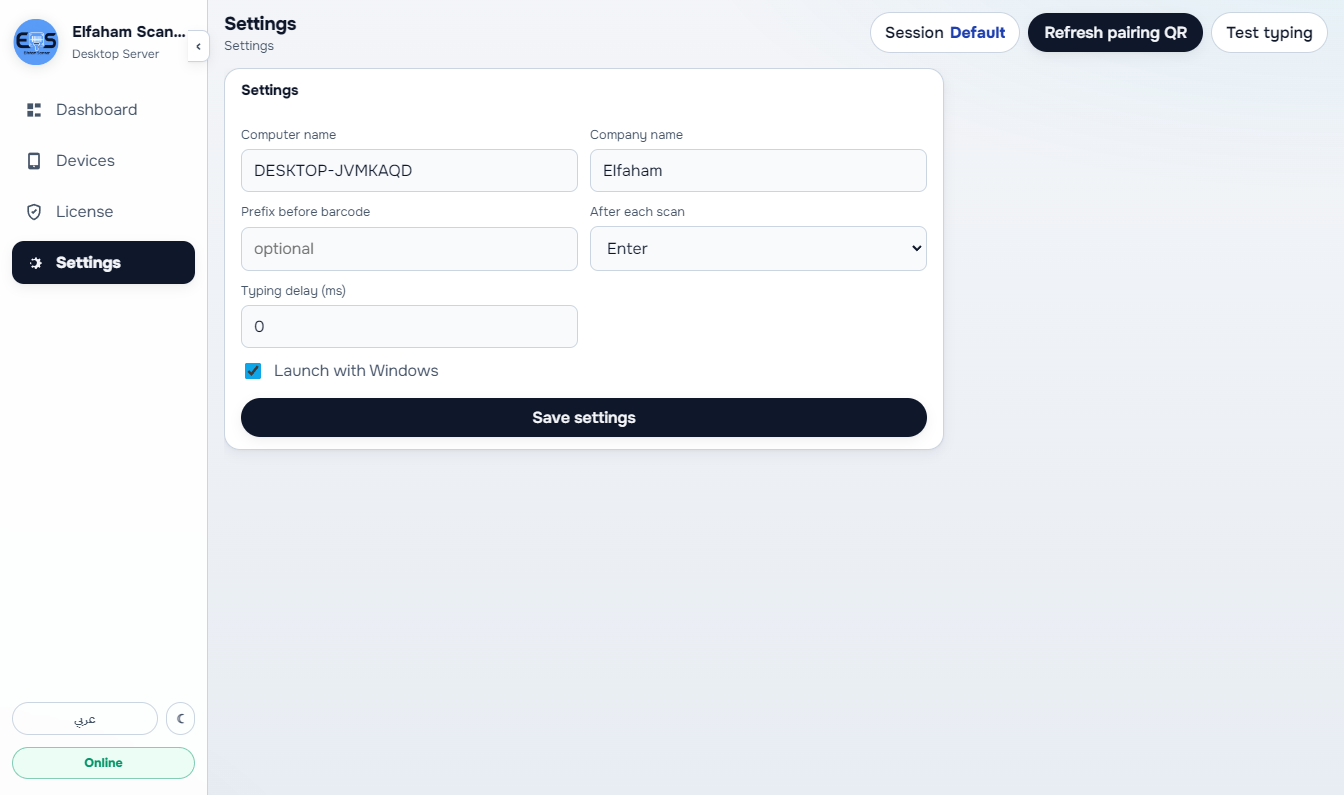
Set prefix, suffix, and launch options so scans type into whichever Windows app has focus — like a USB wedge, not a locked-in POS.
Windows PC server
Activate the server with account, key, or offline package so the PC can keep scanning on the LAN even when the internet is not the point.
Group 2
Android companion
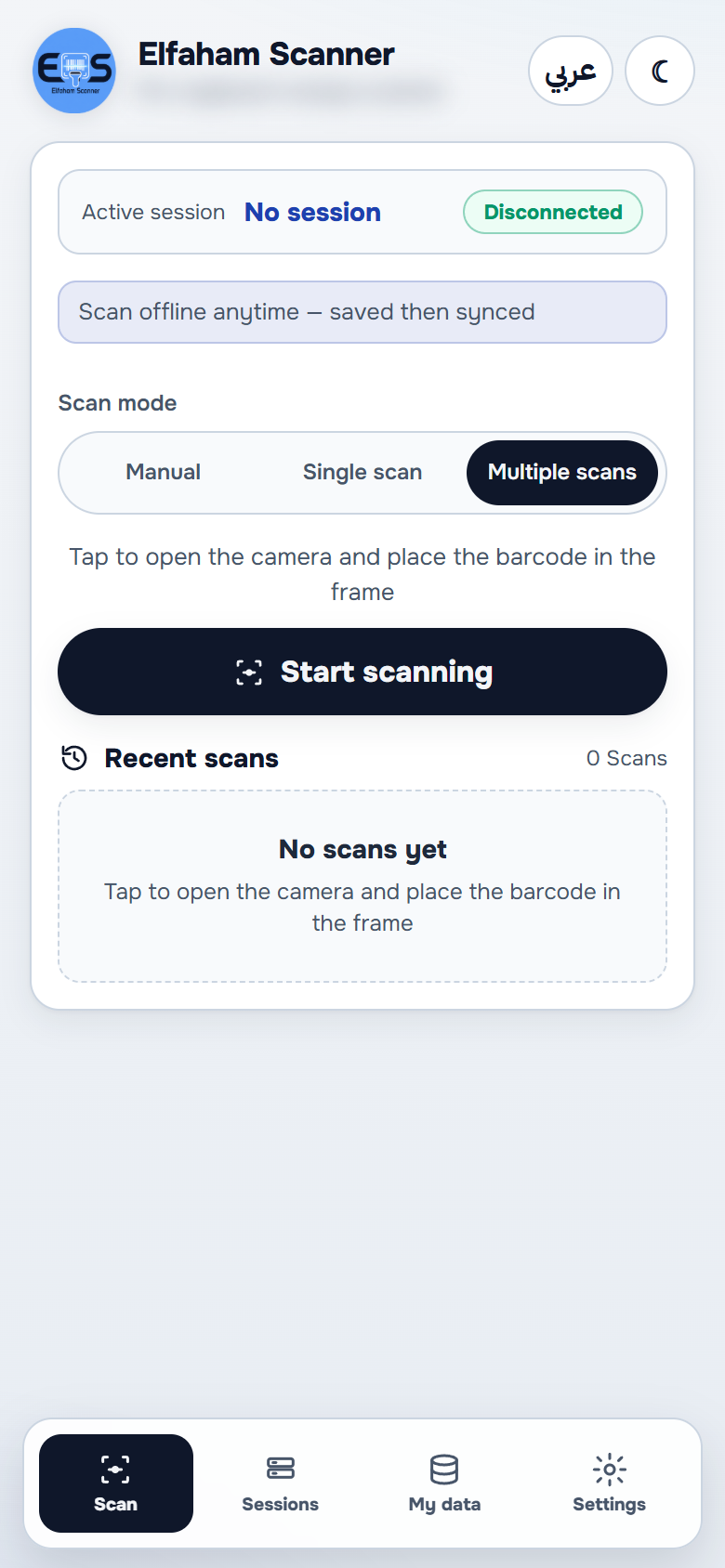
Use the phone camera as the scanner — the companion home is where staff point, scan, and send barcodes to the licensed PC.
Android companion
Configure the Android companion on the device so pairing and scan behavior match how that phone is used on the floor.
05 — Solutions
Android camera, Windows server, USB-wedge typing — the real PC and phone screens.
Insight 01
On the floor today
Hardware scanners are expensive and still fail on damaged labels. Staff cannot scan from the aisle.
The module that does it
The Android companion uses the phone camera and sends the barcode to the licensed Windows server on your LAN.
Insight 02
On the floor today
Cloud scanners stall when the internet drops mid-shift. The till cannot wait for a remote API.
The module that does it
The PC dashboard shows a pairing QR and live companion status. Scans stay on the LAN even when the WAN is down.
Insight 03
On the floor today
Barcode tools that only work inside one POS brand are useless at a desktop that already has its own software.
The module that does it
Prefix, suffix, and launch options make scans type into whichever Windows app has focus — Excel, a browser, or your own POS.
Insight 04
On the floor today
Vendors sell a phone license and a PC license and still leave the floor unsure which device is actually entitled.
The module that does it
Only the Windows Scanner Server needs a key (ELF-ELSC-…). Android cameras pair over the LAN — no second license on the phone.
06 — Capabilities
What the system delivers for LAN barcode scanning — Windows server + Android camera app.
07 — Downloads & Setup
Download the application, documentation, and product resources.
v1.4.0 · Windows 10 / 11 (64-bit) · 101.7 MB
Standard Windows setup installer (NSIS) with desktop & start menu shortcuts, automatic prerequisites, and clean uninstaller.
Windows Installer
v1.4.0 · Windows · 101.7 MB
Single executable for immediate direct run from any folder or USB drive without running a setup wizard.
Portable Executable
PDF · 19-20 MB · 153 Pages
Step-by-step illustrated reference covering all 44 operational modules across the entire system.
PDF · 15 MB · Executive Summary
Executive deck highlighting business value, operational features, and pricing model.
License is for the Windows server only (ELF-ELSC-…). The Android app pairs over your LAN.