01
Overview
Dashboard
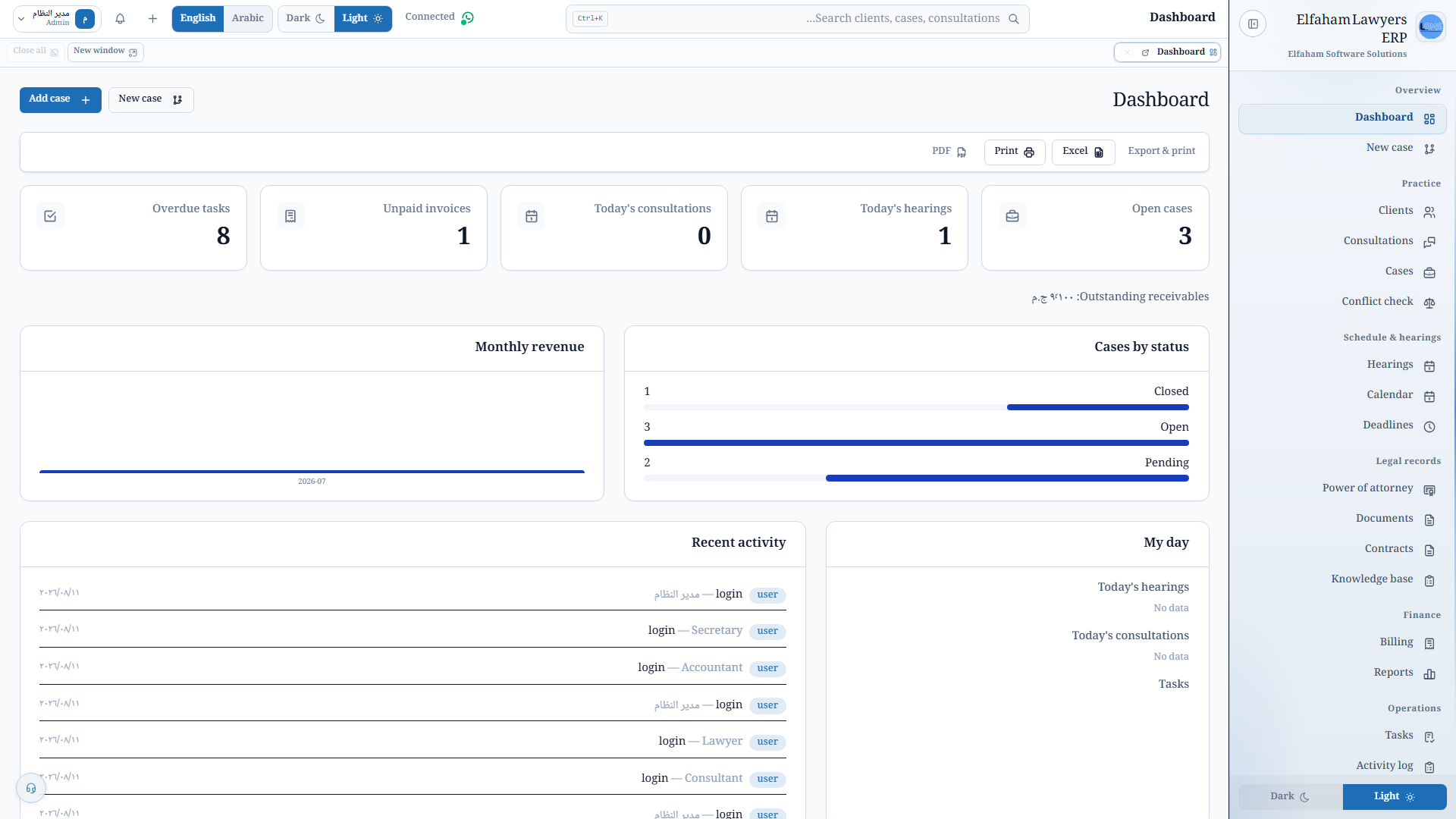
See office KPIs and urgent tasks on one home screen so hearings, deadlines, and follow-ups are not buried in personal notes.
- Office KPIs on the home screen
- Urgent tasks in one list
- A start point for the rest of the modules
Elfaham Software Solutions
الفحام للحلول البرمجية
جارٍ التحميل · Loading
Elfaham Software Solutions
الفحام للحلول البرمجية
جارٍ التحميل · Loading
Elfaham Software Solutions
الفحام للحلول البرمجية
جارٍ التحميل · Loading
Desktop product
Organize your law firm — clients, cases, hearings, documents, and billing in a secure bilingual desktop workspace.
Start here
Download · Docs · Contact
These docs are in English (English UI screenshots). For the full Arabic version, switch the site language to العربية.
Elfaham Lawyers ERP helps law firms stay on top of matters without losing a deadline. Track clients and cases, prepare for hearings, store contracts and documents, manage invoices and follow-ups, and keep a clear audit trail — with Arabic and English throughout. Built for professional offices that value confidentiality, local control of data, and a polished client experience.
Sub-second barcode checkout, touch terminal support, and shift handovers with automated cash drawer balancing.
Instant gross & net profit margins, itemized COGS tracking (FIFO), and strict margin protection rules.
Unified live stock across multiple warehouses, low-stock threshold alerts, and instant branch transfers.
Automated invoice PDFs, account statements, overdue payment reminders, and WhatsApp promotional blasts.
01 — Tutorial
A continuous walkthrough of Elfaham Lawyers ERP from front desk to billing and reports — light & dark.
Product tutorial — in-app walkthrough
The walkthrough switches with the page language and site theme (light/dark).
02 — Real Application Screenshots
Explore the live application interface in high definition — toggle light/dark modes and Arabic/English UI, and zoom into any screen fullscreen.
Elfaham Lawyers ERP — Dashboard
Dashboard
office KPIs and urgent tasks
03 — Modules
One module at a time: title, presentation copy, a real app screenshot, then related screens for that module. Switch light/dark and language, then click any image to open fullscreen.
Group 1
Overview
See office KPIs and urgent tasks on one home screen so hearings, deadlines, and follow-ups are not buried in personal notes.
Overview
Intake a matter with a guided wizard so new files start complete — parties, court, and basics — instead of a half-filled folder.
Group 2
Practice Management
Keep client profiles, contacts, and notes next to their matters so the office is not reconstructing a person from scattered chats.
Practice Management
Schedule consultations, record fees, and keep notes so advisory work is a first-class file — not a calendar invite with no outcome.
Practice Management
Track courts, parties, and status on every matter so the firm sees where a file stands without asking whoever last touched it.
Practice Management
Screen interests before intake so the office catches a conflict while it is still a decision — not a problem after the file is open.
Group 3
Schedule & Hearings
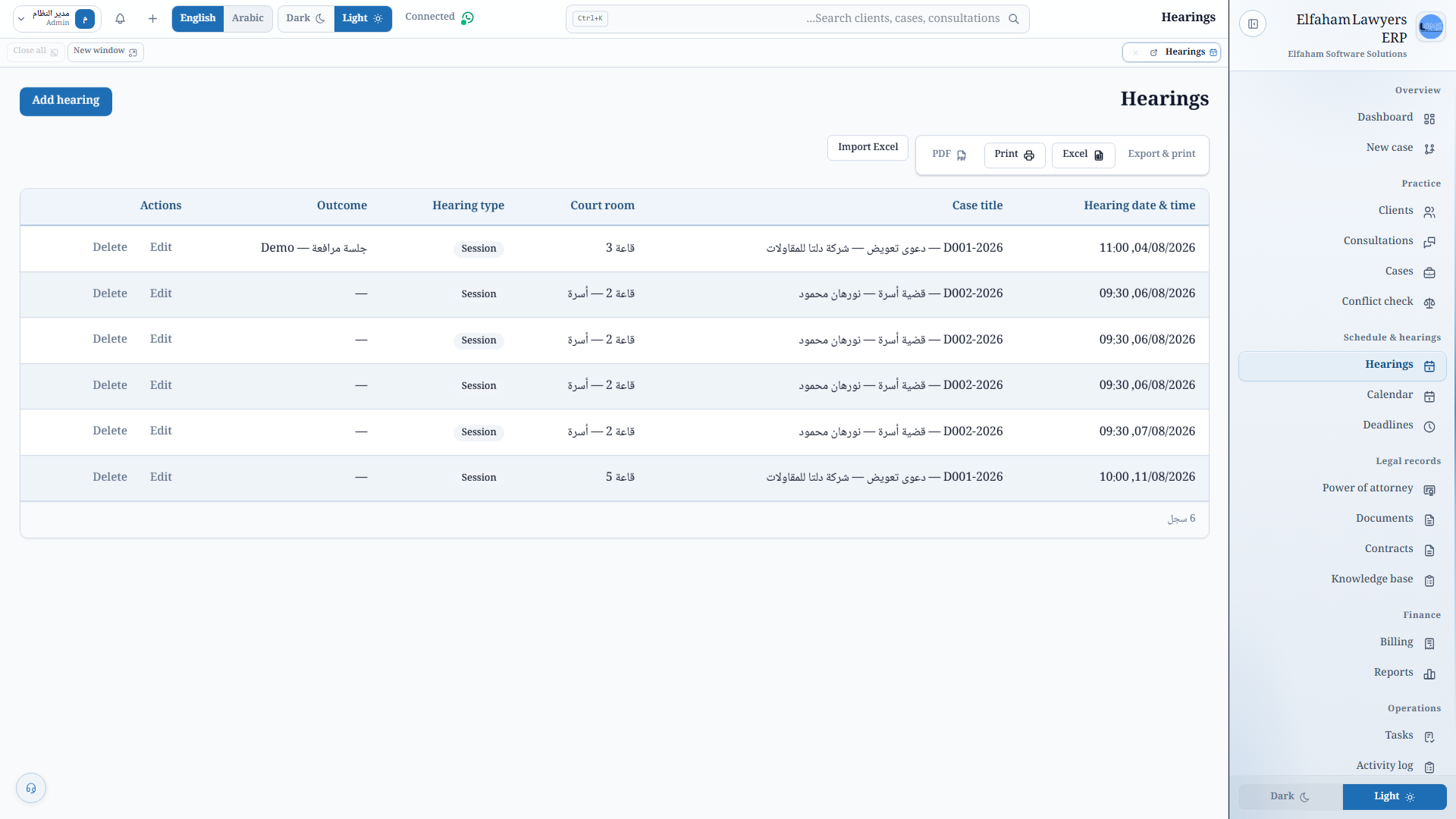
Record sessions, outcomes, and postponements on the matter so the next hearing is not living in someone’s personal calendar.
Schedule & Hearings
See hearings and deadlines on an interactive calendar the whole office can use — not a private Outlook that nobody else opens.
Schedule & Hearings
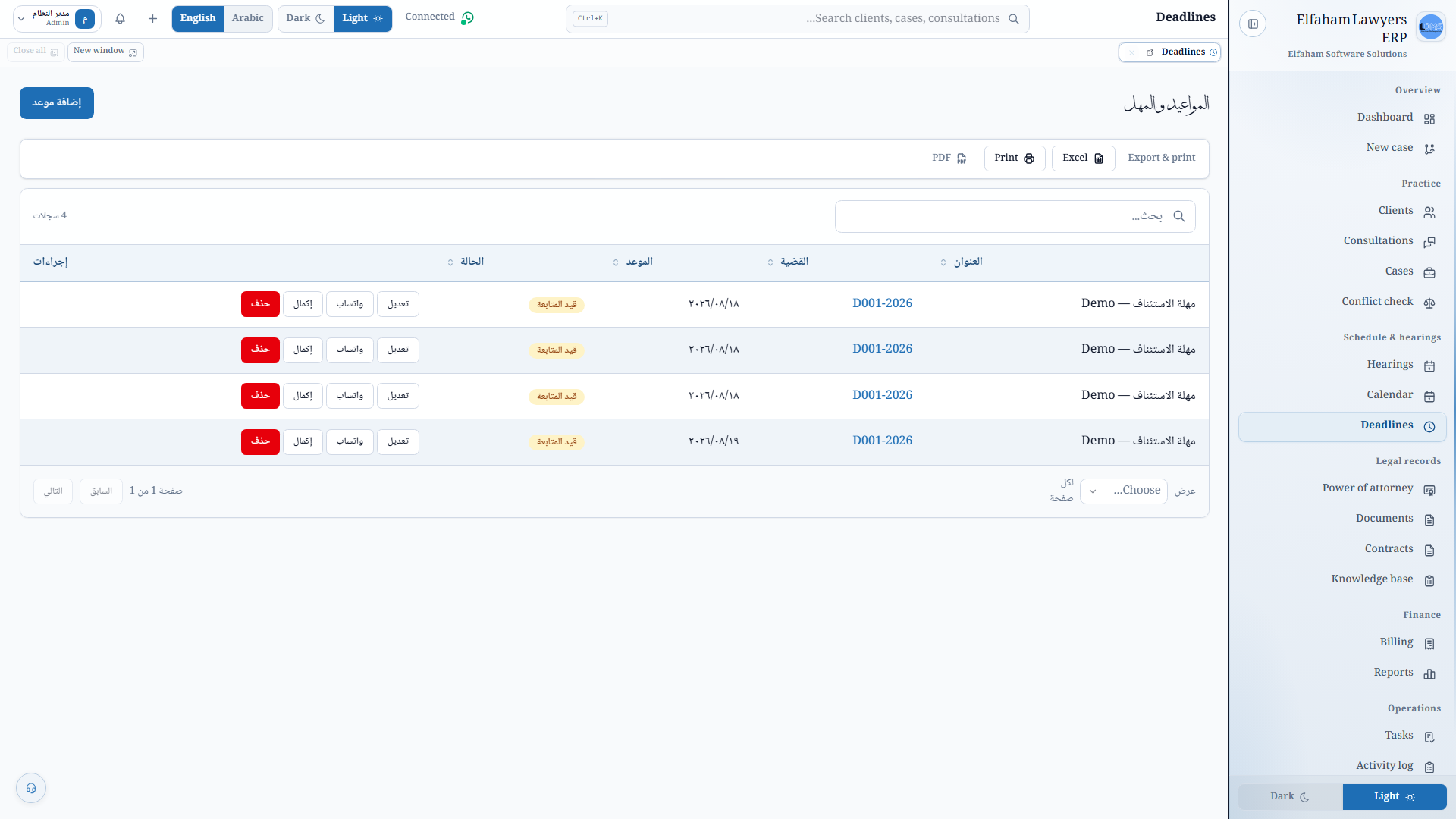
Track legal dates with alerts so a limitation period or filing deadline is a system reminder, not a sticky note.
Group 4
Legal Records
Keep POA templates and expiry tracking on the file so an expired authorization is caught in the office, not at the courthouse door.
Legal Records
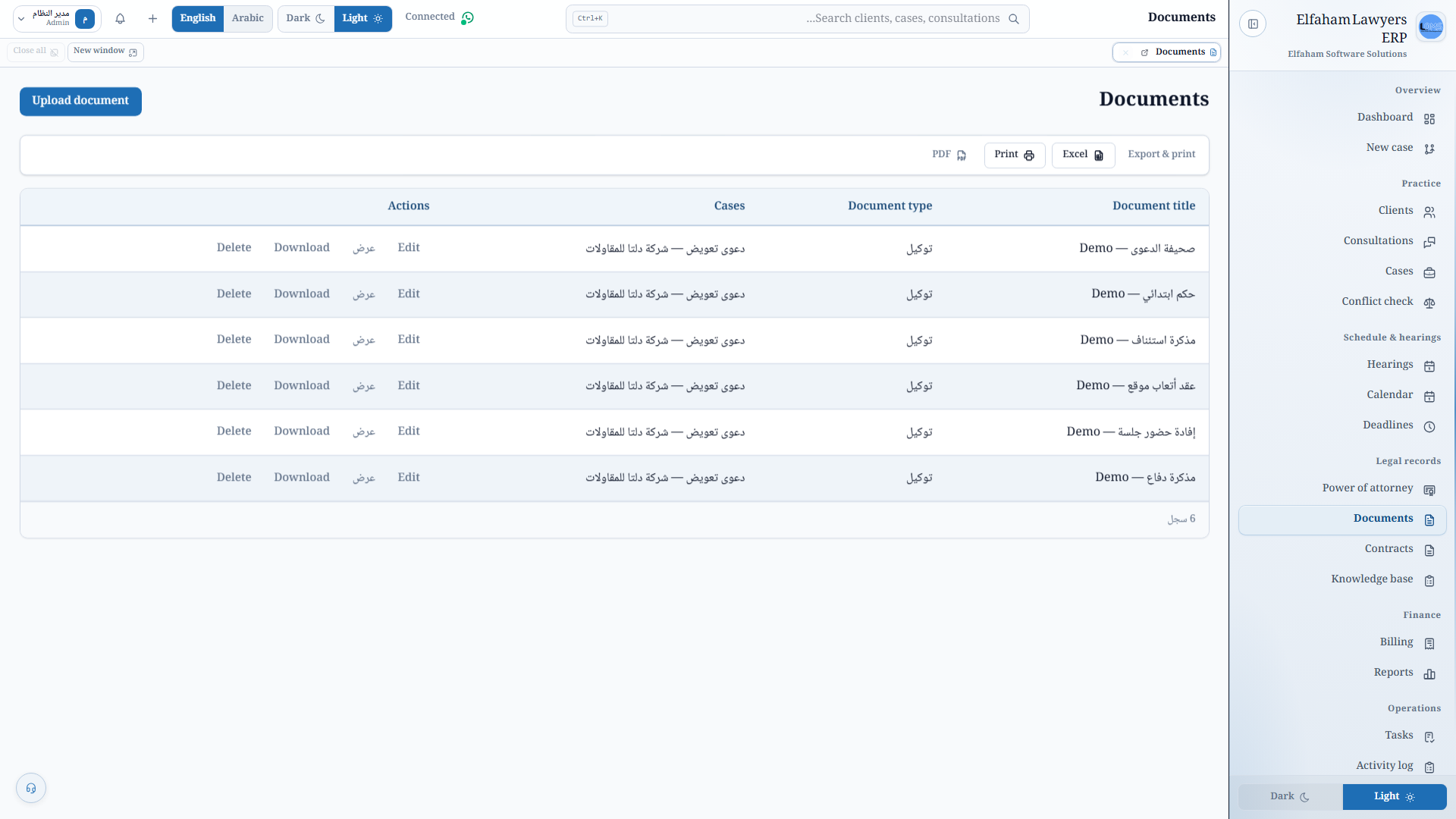
Archive contracts and files against cases and clients so the trail is in the matter — not a shared drive with no audit story.
Legal Records
Start from ready templates you can customize so drafting is faster without leaving the office system for a blank Word file.
Legal Records
Keep legal templates and the office library where the team already works, so know-how is not trapped in one lawyer’s folders.
Group 5
Finance & Reports
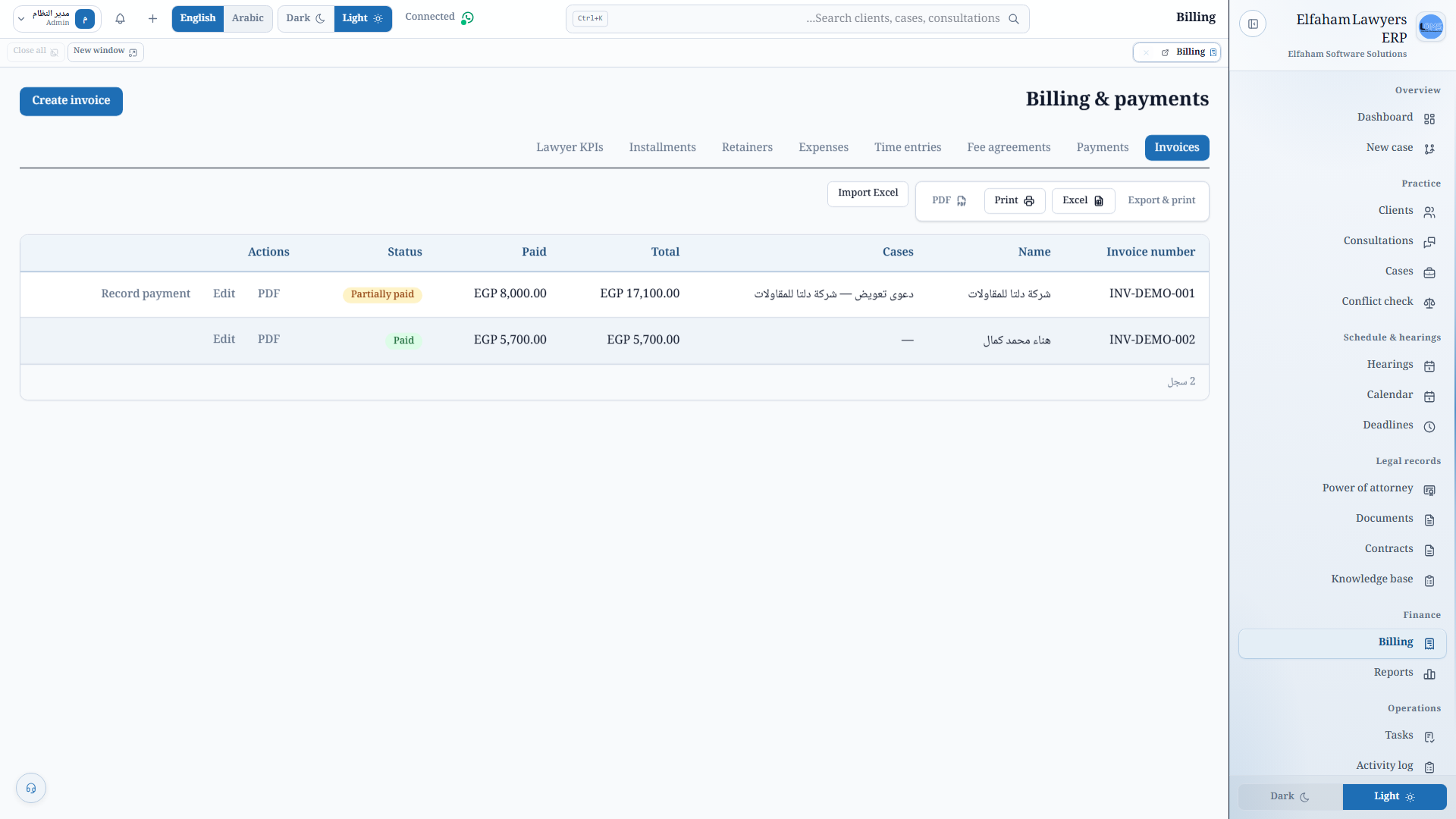
Invoice from the matter — payments, time, and expenses — so “what do we owe?” is answered from the file, not a WhatsApp draft.
Finance & Reports
Produce bilingual PDFs for decisions — workload, collections, activity — without rebuilding the week in a spreadsheet.
Group 6
Operations
Assign work with due dates so follow-ups live on the team list, not in the memory of whoever took the last call.
Operations
Keep a full audit trail of who did what on a file — required when confidentiality and responsibility are not optional.
Group 7
WhatsApp, Telegram & System
Send reminders, reports, and owner-bot alerts from the office system so client follow-up is not a private phone habit.
WhatsApp, Telegram & System
Give the owner a Telegram dashboard of the day — reports and alerts — without opening every module on the PC.
WhatsApp, Telegram & System
Configure users, roles, license, and LAN setup so access and the office identity are controlled in one place.
05 — Solutions
Hearings, matter files, billing, and deadlines — real screens from Elfaham Lawyers ERP.
Insight 01
On the floor today
Session dates live in one lawyer’s Outlook. The rest of the office learns a postponement when the client calls.
The module that does it
Hearings, outcomes, and postponements are recorded on the case. The office calendar shows the same docket the file already knows.
Insight 02
On the floor today
Contracts sit in a shared drive with no audit trail. Finding the signed POA is a hunt across personal folders.
The module that does it
Documents archive against the matter and the client. Activity history shows who added what — required when confidentiality is not optional.
Insight 03
On the floor today
“What do we owe?” is answered from a WhatsApp draft. Time, expenses, and retainers never meet the invoice.
The module that does it
Billing pulls time, expenses, and payments onto the matter so collections and follow-ups start from the file, not a chat thread.
Insight 04
On the floor today
Limitation periods and filing dates are sticky notes. A missed window is discovered at the courthouse door.
The module that does it
Legal dates sit on the matter with alerts. The same workspace that holds hearings also holds the clock the firm cannot afford to miss.
06 — Capabilities
What the system delivers for desk, sales, and comms — grouped by work area.
Group 1
office KPIs and urgent tasks
guided matter intake
07 — Downloads & Setup
Download the application, documentation, and product resources.
v1.0.3 · Windows 10 / 11 (64-bit) · 101.7 MB
Standard Windows setup installer (NSIS) with desktop & start menu shortcuts, automatic prerequisites, and clean uninstaller.
Windows Installer
v1.0.3 · Windows · 101.7 MB
Single executable for immediate direct run from any folder or USB drive without running a setup wizard.
Portable Executable
PDF · 19-20 MB · 153 Pages
Step-by-step illustrated reference covering all 44 operational modules across the entire system.
PDF · 15 MB · Executive Summary
Executive deck highlighting business value, operational features, and pricing model.
One license per branch with dedicated support, ongoing updates, and instant activation.
Group 2
bilingual PDF for decisions
Group 3
reminders, reports, and owner bot
dashboard, reports, and alerts